
New HDOnTap Chat Features: Notifications, Custom Views, Better Comments & More
We’ve rolled out a major update to the HDOnTap chat and comments system based on viewer feedback.
These improvements are designed to make it easier to follow conversations, keep up with replies, customize the way chat looks, report stream issues, and stay connected with the live communities around your favorite HDOnTap cameras.
Whether you are watching a bald eagle nest, checking in on a beach cam, following a wildlife moment, or joining a live discussion with other viewers, the updated chat system gives you more control and a better overall experience.
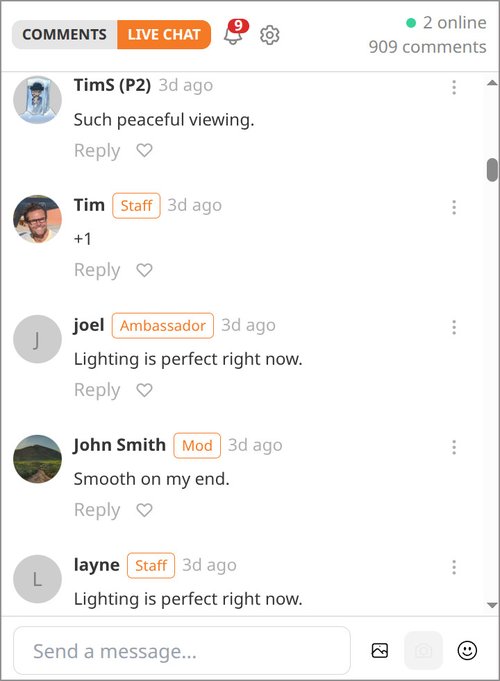
A New Chat Settings Menu
You’ll now see a gear icon at the top of the chat panel.
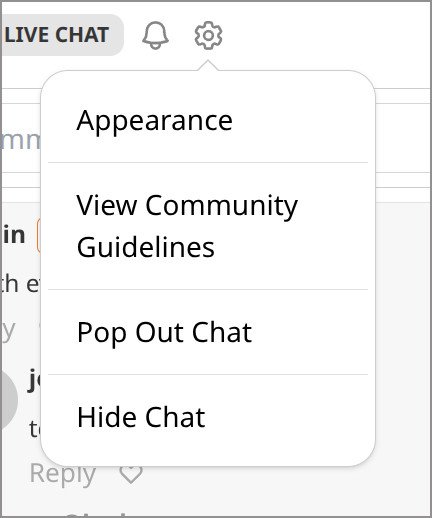
This new settings menu gives you quick access to several helpful options, including:
- Appearance settings
- Community Guidelines
- Pop Out Chat
- Hide Chat
This makes it easier to adjust chat without leaving the stream page.
Notifications: Stay Connected to Replies and Likes
HDOnTap chat now includes notification options so you can keep up with activity that matters to you.
Bell Notifications
The bell icon in the chat header lets you know when someone replies to one of your messages or likes one of your comments.
Click the bell to open a dropdown of recent activity.
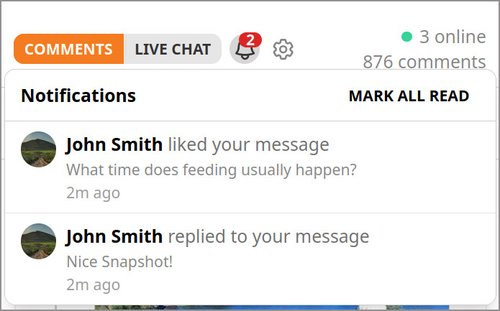
From there, you can click any notification and jump directly to the related message.
Browser Notifications
You can now enable browser notifications for chat activity. These can alert you on your desktop or mobile device even when HDOnTap is not your active tab.
Browser notifications can be turned on from Chat Settings, and you can choose which events you want to receive:
- Replies to your messages
- Likes on your messages
- Both replies and likes
Email Notifications
Email notifications are also available for viewers who want to be notified when someone interacts with their comments.
Email notifications are off by default, so you can opt in from Chat Settings or from the Email tab in your Account Settings.
No matter which notification type you use, clicking the notification will take you directly to the message it is about.
Smarter Scrolling and Easier Catch-Up
We’ve made several improvements to make active chats easier to follow.
Unlimited Scrollback
Previously, chat would stop loading older messages after about 500 messages. Now you can continue scrolling back through older chat history without hitting that limit.
This is especially helpful on popular streams where viewers may want to revisit earlier conversations or catch up on what they missed.
One-Click Catch-Up
When new messages or comments arrive while you are scrolled back, a small button appears showing the number of new messages, such as “9 new.”
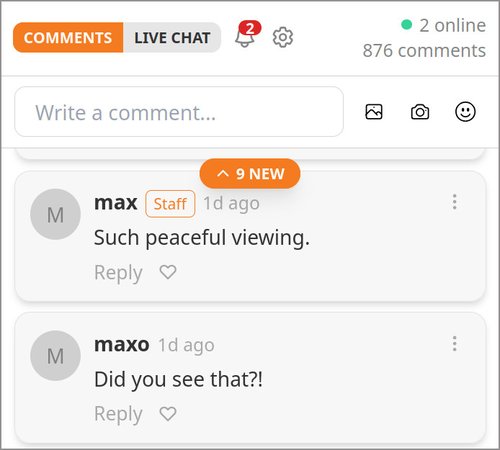
Click the button to bring in the latest messages without reloading the page.
In Comments mode, this also helps prevent the page from shifting around while you are reading. New activity is surfaced through the button instead of interrupting your place in the conversation.
Comments Now Sort by Recent Activity
In Comments mode, threads now sort by recent activity by default.
This helps active conversations stay visible. In the past, comments were sorted by creation date, which meant a newer top-level comment could push an active older conversation farther down the page.
With recent-activity sorting, conversations with new replies stay easier to find and easier to join.
Prefer a more traditional chronological view? You can switch back anytime under:
Gear Menu → Appearance → Sort threads by
Customize the Way Chat Looks
The new Appearance settings give you more control over how chat displays on your screen.
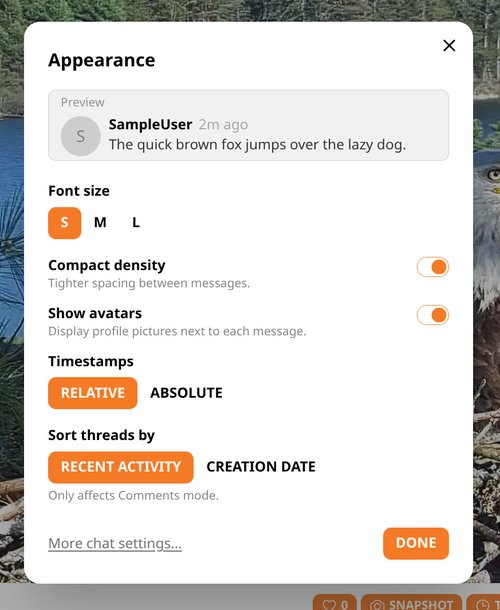
You can now adjust:
- Font size: small, medium, or large
- Compact density for tighter spacing
- Whether avatars are shown or hidden
- Relative timestamps, such as “2m ago”
- Absolute timestamps, such as “3:42 PM”
- Thread sort order
These settings are helpful whether you prefer a compact chat panel, larger text, fewer visual distractions, or a more detailed timestamp view.
More Chat Improvements
We also added several smaller upgrades that make chat easier and more enjoyable to use.
Emoji Picker in Replies
The emoji picker is now available in the inline reply input, not just the main composer.
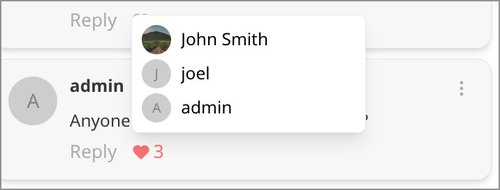
See Who Liked a Message
Hover over the heart icon to see who liked a message.
Comment Count in the Header
The chat header now shows the total comment count so you can quickly see how active a stream’s conversation has been.
Pop Out Chat
You can now pop chat out into its own separate window from the gear menu.
This is especially useful if you want to keep chat open on a second monitor while continuing to watch the live stream.
When chat is popped out, the main page’s chat panel becomes a suggested-streams panel.
Hide Chat
Prefer a cleaner viewing experience? You can now hide the chat panel entirely and use that space for suggested streams.
Mute Users
You can mute users you would rather not see in chat. Muted users can be managed under:
Account Settings → Chat Settings
New Stream Issue Reporting
We’ve added a new Report button under the video player.
If a stream is down, buffering, has audio issues, shows the wrong camera angle, has an obstructed lens, or something else does not look right, you can now report it directly from the stream page.
Choose a reason, add a short description, and the report will be routed to our team so we can take a look.
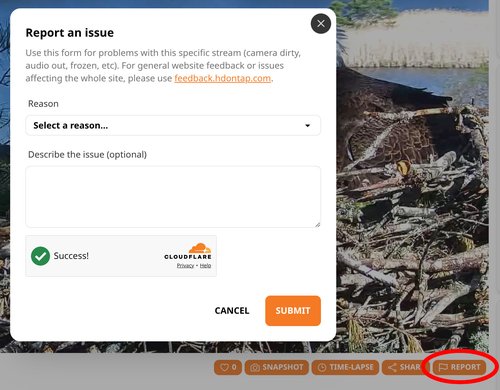
This helps us respond more quickly when something needs attention.
Improved Site Search
HDOnTap site search has also been improved.
Previously, search only matched stream titles. Now it can also search stream descriptions and category names, making it easier to find the live cameras, wildlife streams, locations, and topics you are looking for.
Tell Us What You Think
These updates are part of our ongoing effort to improve the HDOnTap viewing experience and make our live cam communities easier to follow and enjoy.
Please try the new chat features and let us know what you think.
Have an idea, complaint, bug report, or feature request? Visit:
We’d love to hear your feedback.